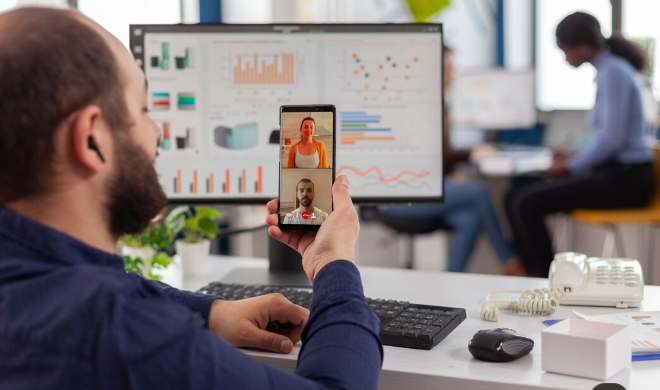
1. KeepActive (prev. Kickidler) — Best Overall for Detailed Workforce Visibility
KeepActive (formerly Kickidler) takes the top spot in this list for businesses that need a broad view of remote employee activity, working hours, and productivity. Its feature set combines time tracking, activity reports, live screen monitoring, screenshots, and work history, helping managers understand how work progresses across a distributed team.
The platform's TT 2.0 version includes an operational dashboard, productivity analysis, timesheets, application and website reports, and tools for reviewing specific activity periods. Managers can use these features to identify recurring workflow problems, compare scheduled hours with recorded activity, and investigate productivity changes instead of relying entirely on manual updates.
Another useful capability is its project-tracking functionality, which can help teams understand time allocation, workload distribution, and the attention given to different tasks. KeepActive also offers separate data loss prevention capabilities for organizations that need additional protection for sensitive business information.
Businesses looking for detailed remote employee monitoring can explore KeepActive's options for distributed teams. The company also provides a free trial of up to 14 days, according to its website, allowing businesses to assess the platform before committing.
Best for: Businesses seeking detailed activity visibility, time tracking, productivity reporting, and visual monitoring in one platform.
Consideration: Because the platform offers extensive monitoring capabilities, organizations should configure appropriate access controls, communicate their monitoring policies, and collect only the information necessary for legitimate business purposes.
ActivTrak is a workforce analytics platform designed to help managers understand work patterns and improve team performance. Rather than focusing exclusively on hours worked, it provides insights into application usage, productive and unproductive time, and broader workforce trends.
For remote teams, this information can reveal whether employees spend too much time switching between applications, attending meetings, or dealing with inefficient processes. Managers can use these insights to improve schedules, identify workload imbalances, and support employees who may be struggling with competing priorities.
ActivTrak is particularly suitable for organizations that want to make decisions using aggregated productivity data and behavioral trends. Its analytics-oriented approach may be useful for managers who need visibility without making continuous screen observation their primary management method.
Best for: Teams that prioritize productivity analytics, workforce planning, and understanding work habits.
Teramind combines employee activity monitoring with user behavior analytics and security-oriented capabilities. It is designed for organizations that need to investigate suspicious activity, identify potential insider threats, and strengthen controls around confidential information.
For companies handling financial records, customer databases, intellectual property, or other sensitive material, monitoring can help identify unusual behavior that deserves further investigation. Depending on the selected configuration, Teramind provides features such as activity monitoring, policy-based alerts, and data loss prevention controls.
Its detailed monitoring capabilities can be valuable in regulated or security-conscious environments. However, businesses should assess which features are genuinely necessary because extensive monitoring may be excessive for teams that simply need timesheets and basic productivity reports.
Best for: Security teams, regulated organizations, and businesses concerned about insider risks and sensitive data.
Hubstaff is a workforce management platform with time tracking, timesheets, productivity-related activity data, and reporting features. It is especially useful for organizations managing remote staff, contractors, agencies, and teams that bill clients according to hours worked.
Accurate time records can help businesses understand project costs, prepare invoices, review staffing requirements, and compare estimated project hours with actual time spent. This is particularly helpful for agencies that need to explain billable hours to customers or manage multiple projects simultaneously.
Hubstaff also offers workforce management features that can support scheduling and operational coordination, depending on the plan. Businesses should review the available integrations and plan restrictions to ensure the platform fits their existing workflow.
Best for: Agencies, contractors, service businesses, and teams that need reliable time records for projects and billing.
Time Doctor focuses on time tracking, workforce productivity insights, and reporting. It can help remote teams understand how their working hours are distributed across projects and tasks.
One of its main advantages is the ability to connect time records with project performance. Managers can review time allocation, identify tasks that regularly take longer than expected, and discuss ways to improve work processes. Employees and managers can also use the data to understand workload patterns and improve planning.
For businesses working with remote contractors or outsourcing teams, this can make performance discussions more evidence-based. Instead of assuming that a delayed project reflects poor effort, managers can investigate whether the task was more complex than expected or whether interruptions affected progress.
Available monitoring options depend on the selected configuration and plan, so businesses should check the features before purchasing.
Best for: Outsourcing companies, project-based teams, and organizations that need detailed time-use reports.
Insightful provides employee monitoring and workforce productivity tools designed for office-based, hybrid, and fully remote teams. Its platform can help organizations review attendance, application usage, activity patterns, and workforce performance.
One practical advantage of this type of software is the ability to compare work patterns across departments and locations. For example, a manager might discover that one team spends considerably more time on administrative work than another team performing similar responsibilities. That information can lead to better processes, training, or workload adjustments.
Insightful may be particularly useful for growing businesses that want centralized visibility across multiple teams. Before choosing it, organizations should evaluate its reporting options, integrations, deployment requirements, and privacy controls.
Best for: Growing businesses managing hybrid or distributed teams that need centralized productivity information.
DeskTime is an employee time-tracking and productivity tool that helps teams understand how their working hours are spent. It can automatically record computer activity and organize time data into reports, reducing the need for employees to complete every timesheet manually.
This can be useful for small businesses that want a clearer picture of working hours without adopting a complicated workforce management system. Managers can review time records and application usage to identify potential inefficiencies, while employees can use the information to improve their own routines.
DeskTime is worth considering when simplicity is a priority. However, organizations with advanced security requirements or complex monitoring policies should compare its capabilities with more specialized platforms.
Best for: Small businesses and teams looking for accessible, automated time tracking.
Veriato specializes in employee activity monitoring and user behavior analytics, with a focus on identifying risks and investigating potentially suspicious behavior. It is particularly relevant to organizations that need more detailed oversight of access to company systems and sensitive information.
For example, a business may need to investigate unusual activity involving confidential files, unexpected system usage, or possible violations of internal security policies. Behavioral information can help security professionals understand what happened and decide whether further investigation is necessary.
Veriato's monitoring capabilities may be more extensive than a small team needs for ordinary productivity management. Businesses should therefore evaluate its security features, deployment options, costs, and data handling policies before selecting it.
Best for: Organizations that prioritize insider-risk detection, investigations, and security-focused employee monitoring.
The best solution depends on the problems a business wants to solve. Buying the platform with the largest number of features does not necessarily produce better results.
Consider these five factors before making a decision:
1. Identify your primary objective. If the main concern is inaccurate timesheets, choose a platform with reliable time tracking. If the priority is workforce analytics, focus on productivity reports. For security investigations, consider solutions with suitable user behavior and data protection capabilities.
2. Evaluate the monitoring depth. Basic activity reports may be enough for many organizations. Screen captures, continuous recording, and keystroke logging collect more sensitive information and should only be enabled when there is a clear, lawful business justification.
3. Check compatibility and integrations. Confirm that the software supports your employees' operating systems and works with your project management, payroll, or reporting tools.
4. Compare total costs. Look beyond the advertised starting price. Review billing terms, minimum seat requirements, feature restrictions, storage costs, and the price of optional modules.
5. Protect employee privacy. Explain what is monitored, why information is collected, who can access it, and how long it is retained. Check applicable employment, data protection, and electronic monitoring laws before implementation.
Monitoring software is most effective when it supports a healthy management culture. Employees should understand performance expectations, deadlines, and how the organization evaluates results.
Managers should avoid treating keyboard activity or time spent online as a complete measure of productivity. A developer solving a difficult technical problem, a writer researching a complex subject, and a customer service representative handling calls may have very different activity patterns while all performing valuable work.
Use monitoring data to identify trends, not to make automatic assumptions about individual performance. Discuss unexpected results with employees, allow them to explain unusual circumstances, and consider factors such as technical problems, training needs, and excessive workloads.
Organizations should also establish written monitoring policies, restrict access to sensitive reports, and review whether the information collected remains necessary. Transparent monitoring can build accountability while reducing the mistrust that overly intrusive surveillance may create.
Remote employee monitoring software can help businesses overcome the challenges of managing distributed teams by improving time tracking, productivity analysis, project visibility, and data security. However, each platform serves a different purpose, and the right choice depends on team size, budget, business objectives, and privacy requirements.
KeepActive (prev. Kickidler) ranks first in this guide for organizations seeking a broad combination of activity monitoring, time tracking, visual records, and productivity reporting. ActivTrak is worth considering for workforce analytics, Teramind and Veriato for security-focused monitoring, and Hubstaff or Time Doctor for time and project management. Insightful and DeskTime offer additional options for productivity visibility and time tracking.
Ultimately, the best monitoring strategy combines appropriate technology with clear communication, realistic expectations, and respect for employee privacy. When implemented thoughtfully, these tools can help remote teams work more efficiently, make better-informed decisions, and build stronger accountability without relying on constant supervision.
 Supriyo Khan
 Supriyo Khan
 Supriyo Khan
 Supriyo Khan

Want to add a comment?