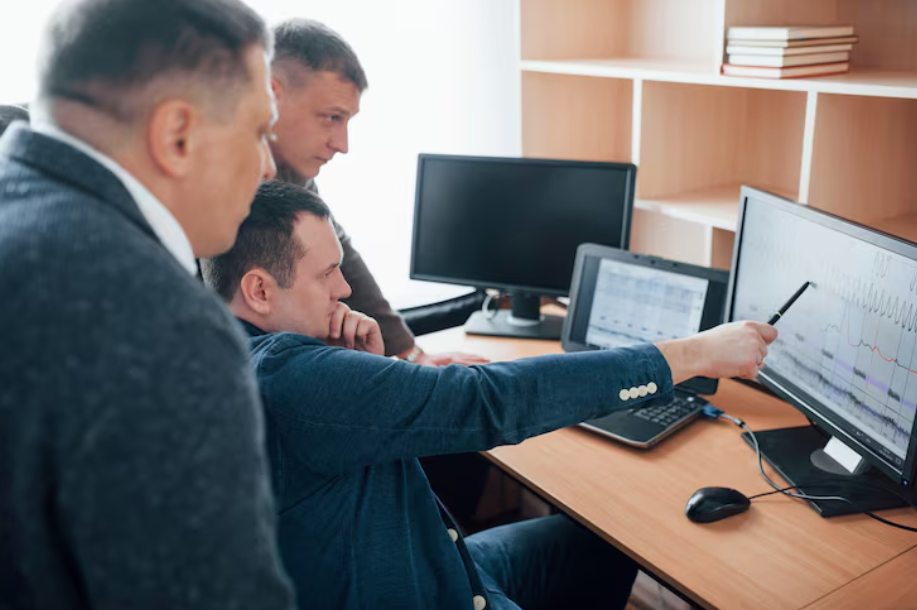
Managing a modern workplace is no longer limited to tracking attendance or checking whether employees are physically present in an office. With remote work, hybrid teams, distributed departments, and increasingly digital workflows, organizations need better visibility into how work is actually performed. Employee and computer monitoring tools can provide that visibility by helping managers understand work patterns, identify process bottlenecks, protect company information, and make better operational decisions.
When implemented responsibly, these technologies are not simply about watching employees. They can provide objective information that helps organizations balance workloads, improve processes, support remote teams, and create a more accountable working environment.
Employee monitoring tools are technologies designed to provide organizations with information about workplace activity. Depending on the solution and its configuration, they may record application usage, website activity, attendance, idle periods, screenshots, or other indicators of computer-based work.
Computer monitoring software focuses more specifically on activity taking place on company computers and other digital workstations. It can help administrators understand which applications are being used, how much time is spent on different activities, and where potential security or productivity issues may exist.
The purpose of these systems varies between organizations. Some companies primarily use them for workforce analytics, while others focus on cybersecurity, compliance, remote-work management, or operational improvement.
Today's monitoring platforms can offer considerably more than basic attendance tracking. Common features include:
Live screen viewing allows authorized managers or administrators to see activity taking place on a monitored computer in real time. This can be useful for technical support, troubleshooting, training, or investigating an operational issue.
Because live viewing can be particularly sensitive, organizations should clearly define who can use the feature and under what circumstances.
Some platforms periodically capture screenshots and maintain activity histories. These records can help managers understand what happened during a particular work period without relying entirely on assumptions or self-reported information.
Activity history can also provide useful context when investigating security incidents or reviewing workflow problems.
Monitoring systems can categorize websites and applications used during working hours. Reports may show how frequently particular applications are opened or how much time employees spend using specific tools.
For managers, this information can reveal whether teams have the right software, whether certain applications are consuming excessive time, or whether processes could be streamlined.
Digital attendance features can record when employees begin and finish work and identify periods of inactivity. Idle-time information should be interpreted carefully, however. A period without keyboard or mouse activity does not necessarily mean that an employee is unproductive.
For example, an employee may be attending a meeting, reviewing printed material, speaking with a customer, or thinking through a complex problem.
Productivity analytics combine activity information into reports that help managers identify broader patterns. Rather than focusing on individual actions, organizations can use aggregated information to understand workload distribution, recurring bottlenecks, and operational trends.
Employee monitoring software can provide organizations with visibility into computer activity and workplace processes, helping managers better understand how digital work is being performed.
Automated alerts can notify authorized personnel about unusual or potentially risky activity. Depending on the platform, alerts might relate to suspicious application usage, access to restricted websites, or other predefined events.
Used appropriately, alerts can reduce the need for constant manual supervision while helping security and IT teams respond more quickly to potential problems.
Some monitoring platforms also provide remote access capabilities. These tools can help IT personnel troubleshoot computers, assist employees, or resolve technical problems without needing to be physically present.
Remote access should always be protected with strong authentication and appropriate access controls.
One of the biggest advantages of workplace monitoring is improved visibility. Managers cannot always see how work progresses, particularly when employees operate remotely or across multiple locations.
Monitoring data can help employers:
Identify inefficient workflows
Understand how workloads are distributed
Detect recurring process bottlenecks
Improve resource allocation
Support remote and hybrid teams
Investigate security incidents
Identify training opportunities
Evaluate processes using more objective information
The emphasis should be on identifying patterns rather than simply counting minutes of activity. Quality, outcomes, collaboration, and employee responsibilities should remain part of any meaningful performance assessment.
Responsible monitoring can also benefit employees. When activity data is used appropriately, it can provide evidence that supports fairer workload discussions and performance evaluations.
For example, analytics may reveal that one employee is handling significantly more administrative work than colleagues performing similar roles. Managers can then investigate whether responsibilities need to be redistributed.
Monitoring can also help employees demonstrate their workload when working remotely. Instead of relying entirely on perceptions about availability or responsiveness, organizations can use documented workflow information to better understand how work is being completed.
Research and benchmarking resources from Time Doctor also discuss employee monitoring, time tracking, and productivity measurement, providing useful context for organizations evaluating workplace-management approaches. How KeepActive Can Support Workplace Analysis
KeepActive is designed to help businesses gain greater visibility into workplace activity through monitoring tools, visual reports, activity analytics, and automated insights. Rather than leaving managers to interpret large amounts of raw activity data manually, these capabilities can help highlight patterns that may indicate inefficient workflows or areas requiring attention. By bringing activity information into clearer reports, KeepActive can support more informed operational decisions, helping businesses examine how work is performed and where processes may be improved.
Different industries can use workplace monitoring for different purposes.
Software teams often work remotely and use numerous applications throughout the day. Activity analytics can help managers understand workflow interruptions, identify unnecessary processes, and determine whether employees have adequate technical resources.
Banks, fintech companies, and other financial organizations handle sensitive information and may have strict security requirements. Monitoring tools can support security teams by providing activity records and alerts that help identify potentially unusual behavior.
Customer-service teams often rely on specialized applications, ticketing platforms, communication tools, and knowledge bases. Usage reports can help organizations understand workflow patterns and identify unnecessary switching between applications.
Consulting, accounting, legal, and other professional-service organizations can use activity information to better understand how teams spend time across projects and administrative tasks. This can contribute to improved workload planning and process visibility.
Monitoring technology should not be introduced without clear policies. Employees should understand what information is collected, why it is collected, who can access it, and how long it will be retained.
Transparency is particularly important. Organizations should communicate monitoring practices before implementation and provide employees with understandable explanations rather than hiding surveillance practices.
Privacy should also be considered when selecting monitoring settings. Companies should collect information that is genuinely necessary for their stated objectives rather than gathering unlimited amounts of personal or workplace data.
Access to monitoring information should be restricted to authorized personnel. Strong authentication, role-based permissions, secure storage, and appropriate retention policies can reduce unnecessary exposure.
Organizations should also consider applicable employment, labor, privacy, and data-protection laws in every jurisdiction where they operate. Legal requirements can differ depending on the country, industry, employee location, and type of information collected. Businesses should obtain appropriate legal or compliance advice before deploying monitoring technology.
Organizations evaluating employee or computer monitoring platforms should consider several factors.
Define the objective first. Decide whether the main purpose is productivity analysis, security, remote-work management, attendance, technical support, or a combination of these goals.
Review available features. Make sure the platform provides the reporting, analytics, alerts, screen monitoring, attendance, or remote-access capabilities actually required.
Consider privacy controls. Look for configurable monitoring settings, access controls, data-retention options, and features that support responsible deployment.
Evaluate reporting quality. Raw activity records can be difficult to interpret. Clear dashboards, visual reports, analytics, and automated insights can make information considerably more useful.
Check scalability. A solution should remain practical as the organization adds employees, departments, locations, or devices.
Test usability. Managers and IT administrators should be able to understand the reports without excessive training, while employees should be able to understand what the system records.
Plan communication before deployment. A transparent implementation strategy can reduce confusion and help employees understand that the technology is intended to support legitimate business objectives.
Workplace monitoring is likely to become more analytical and less dependent on manually reviewing individual activity records. Artificial intelligence could increasingly help organizations identify patterns, summarize workplace trends, detect anomalies, and surface potential workflow improvements.
At the same time, privacy-focused reporting is likely to become increasingly important. Instead of giving managers unrestricted access to detailed employee activity, future systems may place greater emphasis on aggregated insights, anonymization, role-based access, and configurable privacy controls.
The most useful monitoring platforms will therefore need to balance visibility with trust. Technology can provide valuable information, but organizations will still need sensible policies and human judgment to interpret that information fairly.
Employee and computer monitoring tools can play an important role in modern workplace management, particularly as organizations adopt remote and hybrid working models. Features such as screen viewing, screenshots, activity histories, application and website reports, attendance tracking, productivity analytics, alerts, and remote access can give organizations greater insight into digital workflows.
However, effective monitoring is not simply about collecting more data. Employee monitoring software and computer monitoring software are most valuable when they help organizations understand processes, protect information, manage workloads, and make evidence-based decisions without undermining employee trust.
A balanced approach—combining useful analytics with transparency, privacy protections, restricted data access, and compliance with applicable laws—can allow businesses to gain the operational benefits of monitoring while maintaining a fair and respectful workplace.
 Supriyo Khan
 Supriyo Khan
 Supriyo Khan
 Supriyo Khan

Want to add a comment?