That’s exactly where UGC Maker became part of my daily workflow.
Instead of relying only on user submissions or creator collaborations, UGC Maker helps me produce UGC-style short videos quickly, consistently, and at scale — without burning out the team or the community.
Many communities struggle with the same issue: members scroll, but don’t contribute.
Even when discussions are active, user-generated content often slows down after the initial excitement. Asking members to “post more” rarely works without giving them inspiration or momentum.
To keep engagement high, communities need:
Frequent updates
Visual content
Trend-aware formats
But most community teams don’t have a dedicated video crew. Editing, scripting, and coordinating creators quickly becomes unsustainable.
UGC-style videos perform better because they feel natural and relatable.
The problem? Real UGC depends on real people, real schedules, and real delays.
That’s where UGC Maker changes how community content is produced.
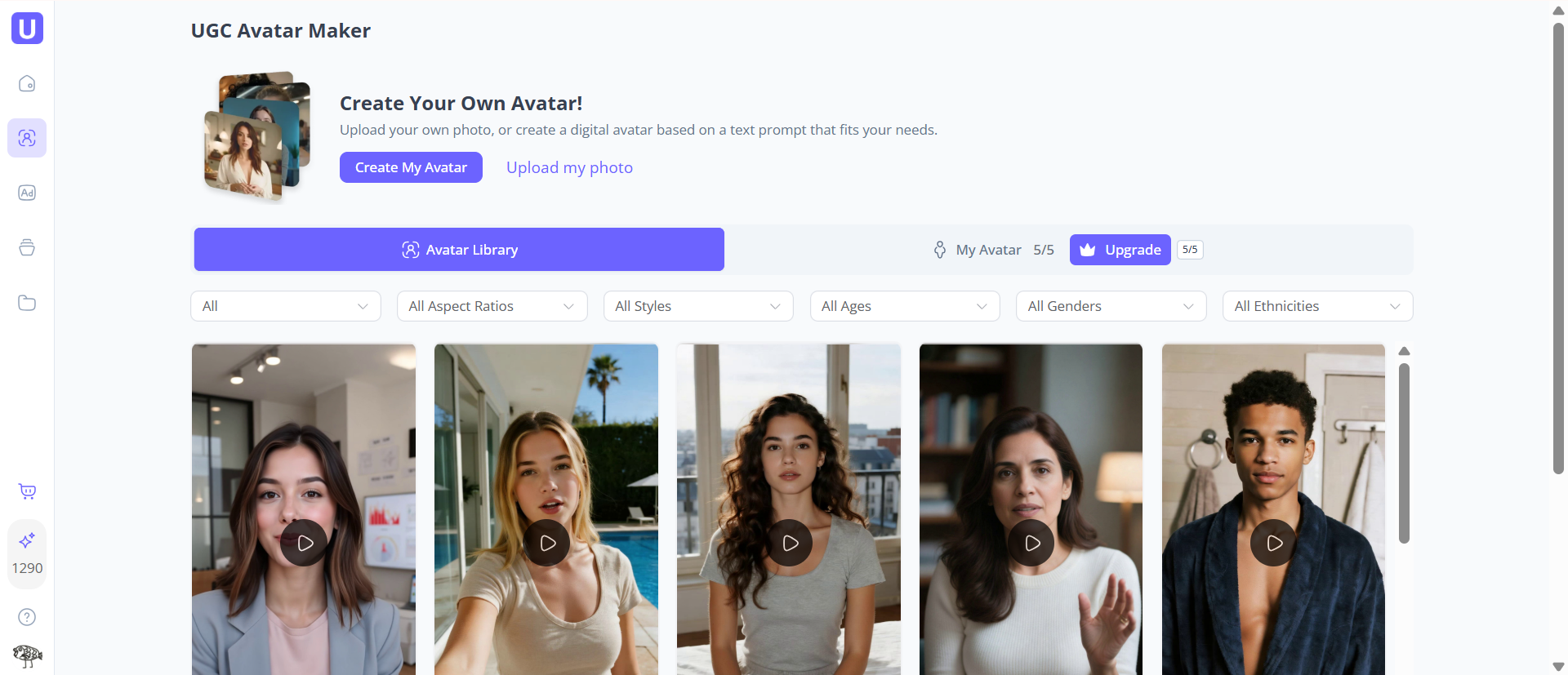
With UGC Maker, I can generate UGC-style videos even when community participation is low. Using the UGC Avatar Maker, I select avatars that feel like real community members — different styles, tones, and personalities. These videos don’t feel like brand ads; they feel like organic posts that belong inside the community feed.
This allows me to:
Kickstart conversations
Demonstrate content ideas
Set examples for members to follow
Once members see what “good content” looks like, participation naturally increases.
(Choose Avatars on UGC Maker)
Static posts get ignored quickly. Short videos stop the scroll.
UGC Maker helps me maintain a steady flow of:
Announcement videos
Community highlights
Creator spotlights
Trend-based discussion starters
Because production is fast, I can react to trends and community topics in real time instead of planning weeks ahead.
Before creating anything, I often browse the UGC Maker ad library.
With access to 10M+ free ads, I can quickly see:
What hooks are working
Which video formats drive interaction
How creators structure short-form storytelling
This inspiration isn’t just for ads — it’s perfect for community content, polls, challenges, and discussion prompts.
One of the most useful features is URL-to-video.
With UGC Maker, I can instantly transform:
Campaign landing pages
Turn any product page from Amazon, Shopify, or any online store
into short, shareable videos. This makes it much easier to promote initiatives inside communities without posting long explanations that people skip.
(Turn Your Link into a Professional Video on UGC Maker)
Every community platform behaves differently.
With UGC Maker, I can generate multiple versions of the same message:
One for Facebook
One for Discord
One for TikTok or Shorts
Different hooks, different avatars, same core message — without starting from scratch each time.
Not every KOL wants to create content from zero.
I often use UGC Maker to generate sample videos that creators can:
Remix
React to
Use as inspiration
This lowers the barrier for participation and helps creators stay aligned with campaign messaging.
UGC Maker allows me to control tone and structure while keeping the content natural.
This balance is critical when working with multiple KOLs:
The brand message stays consistent
The content still feels personal
It saves hours of back-and-forth feedback.
Because video production is no longer the bottleneck, I can:
Increase posting frequency
Test more formats
Keep communities active during quiet periods
All without hiring extra editors or chasing contributors.
Community work never stops.
UGC Maker reduces pressure by making content creation predictable and manageable.
When tools remove friction, teams stay creative longer.
If you manage Discords, Telegram groups, or brand communities and struggle with low interaction, UGC Maker helps you lead by example with engaging UGC-style videos.
If your strategy relies on authenticity, interaction, and user participation, UGC Maker fits naturally into your ecosystem.
UGC Maker doesn’t try to replace community members — it helps fill content gaps and keep conversations moving.
By filling content gaps, setting creative direction, and maintaining momentum, UGC Maker helps communities feel alive, even when resources are limited.
If your goal is to:
Increase community engagement
Publish UGC-style videos consistently
Support creators without constant coordination
then UGC Maker(https://ugcmaker.io/) is a tool worth trying. It’s now a core part of how I keep communities active, visible, and growing.
 Supriyo Khan
 Supriyo Khan
 Supriyo Khan
 Supriyo Khan

Want to add a comment?