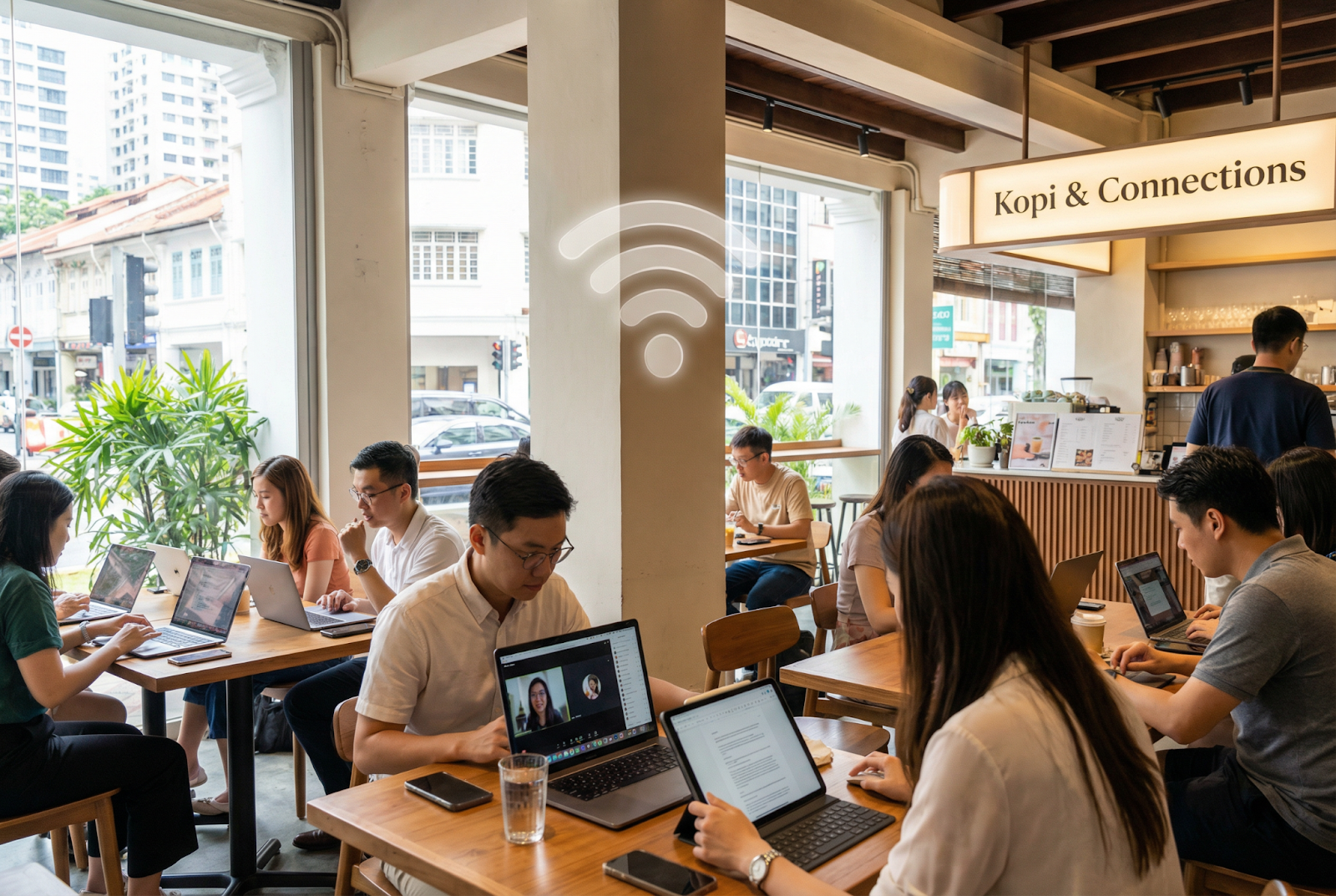
A friend of mine runs a coworking space in Bugis. Twenty desks, two meeting rooms, a small podcast studio. Nice setup. But every afternoon between 2-4 PM, his Wi-Fi would practically collapse. Too many people on video calls. Too many devices fighting for bandwidth. Members started complaining. A few actually left for competing spaces.
He tried everything. Added more access points. Upgraded his router. Changed Internet providers. Nothing fixed the afternoon slowdown completely. The problem wasn't really his Internet connection. It was his Wi-Fi technology hitting its ceiling.
Last month he upgraded to Wi-Fi 7 equipment. The afternoon bottleneck? Gone. Twenty people running simultaneous video calls without a hiccup. Members noticed immediately. Two former members came back within weeks after hearing about the improvement.
His exact words to me: "I spent two years blaming my ISP when the real problem was my Wi-Fi hardware all along."
Most people hear "new Wi-Fi version" and assume it just means slightly faster speeds. Wi-Fi 6 was fast. Wi-Fi 7 is faster. Big deal, right?
Actually, yes. Huge deal. But not just because of speed.
For anyone wondering what is WiFi 7 exactly, it's the latest wireless standard that fundamentally rethinks how devices connect to networks. Previous versions made incremental improvements. Wi-Fi 7 introduces architectural changes that solve problems older versions couldn't touch.
The speed improvement alone is dramatic. Wi-Fi 7 delivers up to four times the speed of Wi-Fi 6. That's not a marginal bump. But speed is honestly the least interesting part. The real breakthroughs are in how Wi-Fi 7 handles multiple devices, reduces delays, and manages congestion.
Big corporations have IT departments that handle networking. They've got enterprise-grade equipment, dedicated support contracts, specialists who monitor performance.
Small businesses? You're probably running a consumer-grade router from your ISP. Maybe you bought something nicer from the electronics store. Either way, your Wi-Fi probably isn't optimised for business use.
Wi-Fi 7 changes the equation for smaller operations. Here's why it matters.
Handling Crowded Environments
Wi-Fi 6 could handle multiple devices reasonably well. But "reasonably well" breaks down when you've got 30-40 devices competing for bandwidth in a small cafe, coworking space, or retail shop.
Wi-Fi 7 introduces Multi-Link Operation, which lets devices use multiple frequency bands simultaneously. Think of it like giving each device three lanes on a highway instead of one. Traffic flows better. Congestion drops. Performance stays consistent even when lots of devices connect.
The standard also doubles the number of MU-MIMO streams from 8 to 16. More simultaneous connections without performance degradation. For businesses where customer Wi-Fi matters, this is transformative.
Dramatically Lower Delays
Latency. That tiny pause between clicking something and seeing it respond. Seems minor until it affects your point-of-sale system during rush hour. Or your video call with an important client starts lagging. Or your cloud-based inventory system takes three seconds to register each scan.
Wi-Fi 7 uses wider 320 MHz channels that double the data throughput compared to Wi-Fi 6. More data moves simultaneously, which naturally reduces waiting times. For businesses running real-time applications, this improvement is immediately noticeable.
Better Coverage Across Larger Spaces
Dead zones are the bane of small business Wi-Fi. That corner of the warehouse where scanners lose connection. The outdoor seating area where customers can't get signal. The meeting room that's just far enough from the router to be problematic.
Wi-Fi 7 operates across three frequency bands: 2.4GHz, 5GHz, and 6GHz. This tri-band capability, combined with improved signal processing, delivers stronger coverage across larger areas. Fewer dead zones. More consistent connections throughout your business premises.
Energy Efficiency That Saves Money
This one flies under the radar but matters for businesses running lots of connected devices. Sensors, tablets, mobile payment terminals, security cameras, smart displays. All drawing power constantly.
Wi-Fi 7 improves on Target Wake Time technology, letting devices sleep longer between communications. Your IoT sensors don't need to maintain constant active connections. They wake up, transmit data, go back to sleep. Battery life extends significantly. Replacement costs drop. Maintenance time decreases.
For businesses deploying multiple wireless devices across their operations, these savings add up over months and years.
Let me walk through some specific situations where this technology makes a tangible difference.
Retail Shops
Picture a busy retail store on a Saturday afternoon. Staff using tablets for inventory checks. Customers browsing on their phones. Point-of-sale terminals processing payments. Security cameras streaming footage. Background music streaming from a cloud service. Digital displays showing promotions.
That's easily 30-50 connected devices in a small space. On older Wi-Fi, some of these would struggle during peak hours. POS terminals might lag. Staff tablets might lose connection. Customer Wi-Fi becomes frustratingly slow.
Wi-Fi 7 handles all of this simultaneously without breaking a sweat. Every device gets reliable bandwidth. Nothing competes with anything else. Customers and staff both have smooth experiences.
Cafes and Restaurants
Food and beverage businesses increasingly depend on wireless connectivity. Digital ordering systems, kitchen display screens, payment processing, customer Wi-Fi, delivery app integration, inventory management.
One restaurant owner told me she had to restart her router almost daily because it couldn't handle the load during lunch service. QR code ordering would freeze. Kitchen displays would lag behind orders. Customers waiting to pay would get frustrated.
Wi-Fi 7's ability to manage dozens of devices across multiple bands simultaneously eliminates these headaches. Everything runs smoothly even during the busiest service periods.
Professional Services
Law firms, accounting practices, consulting agencies. These businesses run on cloud applications. Document management, case management, video conferencing, research databases. All accessed wirelessly from laptops and tablets.
When five partners are on video calls simultaneously while associates are pulling documents from cloud storage and assistants are running billing software, Wi-Fi quality directly affects billable work. Slow connections mean slow people. Slow people mean lower productivity.
Wi-Fi 7's speed and latency improvements make cloud applications feel like they're running locally. Responsive, fast, reliable. Staff spend time working instead of waiting.
Coworking Spaces
My friend's story at the beginning isn't unique. Coworking spaces face some of the toughest Wi-Fi challenges. Diverse users with different needs. Video calls, file transfers, software development, graphic design. All happening simultaneously in shared space.
Wi-Fi quality is arguably the single most important amenity for coworking spaces. Members will tolerate mediocre coffee. They won't tolerate mediocre Wi-Fi. Upgrading to Wi-Fi 7 gives coworking operators genuine competitive advantage.
Healthcare Clinics
Medical practices handling patient data need reliable wireless connections for electronic health records, appointment systems, diagnostic equipment, and telemedicine services.
These connections also need to be secure. Wi-Fi 7 maintains WPA3 security standards while delivering improved performance. Clinics get fast, reliable connections that meet data protection requirements without compromising on speed or coverage.
One concern business owners raise frequently: "Do I need to replace all my existing devices?"
Short answer: no. Wi-Fi 7 is backward compatible. Your existing laptops, phones, tablets, and other devices will connect to Wi-Fi 7 networks without issues. They'll work exactly as they do now.
Newer devices with Wi-Fi 7 capability will get the full performance benefits. Over time, as you naturally replace aging equipment, more of your devices will take advantage of Wi-Fi 7 speeds. But nobody needs to throw out functioning hardware just to upgrade their wireless network.
Upgrading to Wi-Fi 7 isn't complicated for most small businesses.
Wi-Fi 7 Router or Access Points
The core hardware investment. Wi-Fi 7 routers are available now from major manufacturers. Prices have been coming down as the technology matures. For most small businesses, one or two Wi-Fi 7 access points will provide excellent coverage.
Adequate Internet Connection
Your Wi-Fi can only be as fast as your underlying Internet connection allows. Having Wi-Fi 7 hardware connected to a slow broadband plan is like putting racing tyres on a bicycle. The Wi-Fi won't be the bottleneck anymore, but your Internet speed might be.
Pairing Wi-Fi 7 with a high-speed Internet connection maximises the benefit. You want your Internet plan to be fast enough that Wi-Fi performance becomes the experience your users actually feel.
Proper Placement
Where you put access points matters more than most people realise. Central locations, away from interference sources, at appropriate heights. Poor placement undermines even the best hardware.
For larger spaces, consider professional site surveys to determine optimal access point positions. Getting placement right from the start saves headaches later.
Not every business owner wants to deal with Wi-Fi configuration and management. That's completely reasonable. You've got a business to run.
Managed Wi-Fi services handle everything for you. A provider deploys the hardware, configures the network, monitors performance, and handles maintenance. You get enterprise-quality Wi-Fi without needing to become a networking expert.
This approach particularly suits businesses without IT staff. Someone else worries about firmware updates, security patches, channel optimisation, and troubleshooting. You focus on serving customers and growing your business.
Wi-Fi 7 equipment costs more than Wi-Fi 6 gear currently. That gap is narrowing as more manufacturers release products and competition increases.
For most small businesses, the total investment for a Wi-Fi 7 upgrade runs between a few hundred to a couple thousand dollars, depending on space size and coverage requirements. Managed services add monthly fees but eliminate the need for technical knowledge and ongoing maintenance.
Consider the cost against what poor Wi-Fi costs your business. Lost customers at a coworking space. Slow POS systems frustrating restaurant patrons. Staff productivity dropping because cloud applications lag. Customer complaints about your guest Wi-Fi.
The upgrade often pays for itself through improved operations and customer satisfaction within a few months.
Here's what it comes down to. Wi-Fi 7 is still early enough that most small businesses haven't upgraded yet. The ones who move first gain an advantage.
Better Wi-Fi means happier customers, more productive staff, more reliable operations. These advantages compound over time. Your coworking space gets recommended because the Wi-Fi is excellent. Your cafe attracts remote workers who stay for hours. Your retail shop runs smoothly during peak periods while competitors struggle with connection issues.
Early adopters in the Wi-Fi 6 era saw similar advantages. Those who waited eventually upgraded anyway, but they spent months dealing with problems that early adopters had already solved.
The technology is here now. Prices are reasonable. Compatibility is seamless. For small business owners looking for practical ways to improve operations and customer experience, Wi-Fi 7 is worth serious consideration.
My friend with the coworking space puts it simply: "Best infrastructure investment I've made in three years. Should have done it sooner."
 Supriyo Khan
 Supriyo Khan
 Supriyo Khan
 Supriyo Khan

Want to add a comment?