The Total Experience Test That Changed How I Choose an AI Picture Platform
People often ask me which AI image generator is “the best,” and my response has become less satisfying over time because the question itself assumes that a single dimension can crown a winner. In practice, I have abandoned several tools that produced objectively beautiful images because the surrounding experience, from login friction to upsell frequency, made daily use feel like negotiation. I designed this comparison to test what happens when you weigh image quality, speed, interface clarity, distraction level, and update rhythm together, and allow that composite to guide the decision rather than chasing the most dazzling output. One of the platforms I wanted to evaluate under this framework, because it kept appearing in conversations about clean, no-nonsense visual generation, was AI Image Maker, and it ended up anchoring the scoring table in a way I had not fully anticipated.
The six-platform lineup for this test included AIImage.app, Midjourney, Leonardo AI, Adobe Firefly, Krea, and Ideogram. I chose these not because they are the only options, but because they represent a spectrum of philosophies: community-driven, design-suite integrated, artistically audacious, and utility-first. Over two weeks, I ran the same set of twenty prompts through each platform and scored them on the five dimensions that, in my experience, correlate most strongly with whether I will still be using a tool six months later. I did not use any paid priority tiers or enterprise plans; I wanted the default, out-of-the-box experience that a new user would encounter.
My scoring method was deliberately mundane. For Image Quality, I looked at structural plausibility, color coherence, lighting consistency, and how well the output matched the described scene rather than how “stunning” it felt in isolation. For Loading Speed, I timed the round trip from prompt submission to a full-resolution preview. For Ad Distraction, I counted every pop-up, timed upsell overlay, auto-play video, and mid-flow subscription prompt. For Update Activity, I reviewed public changelogs, social announcements, and model release notes over the preceding three months. For Interface Cleanliness, I measured how many UI elements were visible around the canvas, how easily I could find the prompt field again after an image appeared, and whether the layout inspired calm or clutter.
What became clear in the first few sessions was that a high Image Quality score alone was a poor predictor of whether I would voluntarily return to a platform the next day. Midjourney delivered the most visually sumptuous results in the group, no question, but the required Discord context and the absence of a dedicated, silent workspace reduced its Interface Cleanliness score sharply. Leonardo AI offered a generous feature set and a functional canvas, yet the token reminders and sidebar upsells nudged its Ad Distraction score down enough to break flow state. Adobe Firefly performed well on update activity thanks to Adobe’s release cadence, but its generation speed lagged behind the faster tools, and the UI felt dense for someone who just wanted a quick image.
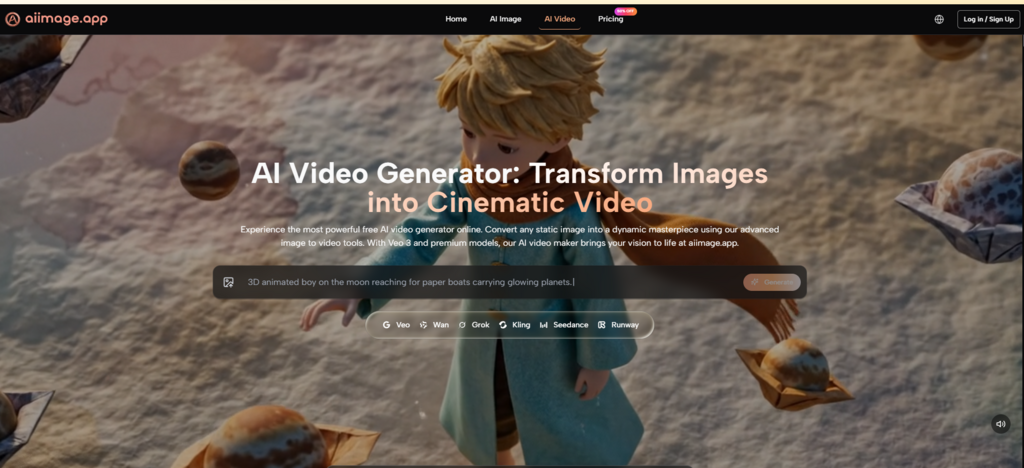
When I turned to AIImage.app and looked specifically at the model selection available on the site, I saw that GPT Image 2 was presented as an option for more structured, detail-oriented generation. I used it primarily for prompts that required accurate spatial relationships, including a scene with overlapping translucent materials and a shot of layered typography on packaging. The images held their compositional framework across multiple variations, and the generation times stayed under ten seconds even during early-afternoon hours when other platforms occasionally showed queue delays. That mix of speed and structural reliability started to tip the scales in favor of the composite score.
The comparison table below captures the numbers I recorded after completing all twenty-prompt runs. Each score is a personal judgment, not an absolute measurement, but I kept the criteria consistent across platforms to make the relative positioning fair.
AIImage.app did not claim the highest mark in Image Quality or Update Activity. Midjourney outscored it on the former, and Leonardo and Adobe both stayed highly competitive on the latter. But the combination of best-in-test Loading Speed, Ad Distraction, and Interface Cleanliness gave it the highest Overall Score through a margin that felt less like a statistical fluke and more like a deliberate product philosophy. A platform that chooses to remove friction rather than add features ends up winning on the dimensions that wear you down over time.
Using AIImage.app over multiple sessions, I fell into a routine that required very few interface decisions. I began by identifying whether the task was purely generative, based on a written prompt, or whether it required an uploaded image as a starting point. For image editing and style transfer work, I selected the upload option and chose a reference visual that represented the output style I wanted. Next, I composed a prompt that addressed the subject, the spatial arrangement, the lighting mood, and the intended color palette, keeping the language direct rather than poetic. I then selected one of the available AI models based on whether I needed structural accuracy or faster exploratory generation. After generating the first batch, I evaluated the results, kept the files that met the brief, and made small prompt adjustments for the ones that missed the mark, repeating the cycle until I had a set of usable visuals.
This flow felt engineered for cumulative productivity. Because there were no interstitial ads and no mandatory token-count check-ins, the number of iterations I could run in a fifteen-minute window was noticeably higher than on platforms that inserted a brief commercial pause between generations. Over days of repeated use, that difference became the primary reason I defaulted to AIImage.app for asset production tasks that needed volume and consistency rather than a single hero image.
There is a trap in AI image tool comparisons that I have fallen into more than once. A platform produces an image so unexpectedly beautiful that it distorts your memory of the overall session. You walk away thinking the tool is better than it actually is for your workflow, only to rediscover the friction points when you sit down for a second long session. This test was my attempt to correct for that bias by letting the cumulative experience carry more weight than any individual output.
That approach did not lead to the conclusion that AIImage.app is the single best AI image tool in existence; it led to the conclusion that for someone who needs to balance quality, speed, focus, and ongoing usability, the platform currently offers the most coherent package. If Midjourney ever offered a clean native web interface with a silent workspace, it could easily reclaim the top composite score. If Adobe Firefly cut generation times in half without adding interface complexity, it would become a much stronger daily driver. But as it stands, those tools ask you to accept a trade-off that AIImage.app has largely resolved.
Design teams, content studios, indie makers, and educators who produce visual material at scale will feel the benefits of a composite-first approach almost immediately. The time saved by a clean interface and fast generation does not show up in a screenshot; it shows up in meeting deadlines without feeling drained. The images themselves are entirely adequate for commercial creative use, as the official site conservatively positions its plans, and the absence of watermarks removes an extra step that becomes tedious only when you have to repeat it a hundred times.
Users who are artistically curious and treat AI generation as a form of play should absolutely spend time with Midjourney, Krea, and the more experimental corners of this landscape, because those tools produce visual surprises that a utility-focused platform may not chase. The argument I am making is not that utility is the only virtue, but that when you sit down to work, the total experience matters more than the most beautiful image in your gallery. On that measurement, AIImage.app earned its position at the top of this comparison honestly.
 Supriyo Khan
 Supriyo Khan
 Supriyo Khan
 Supriyo Khan

Want to add a comment?