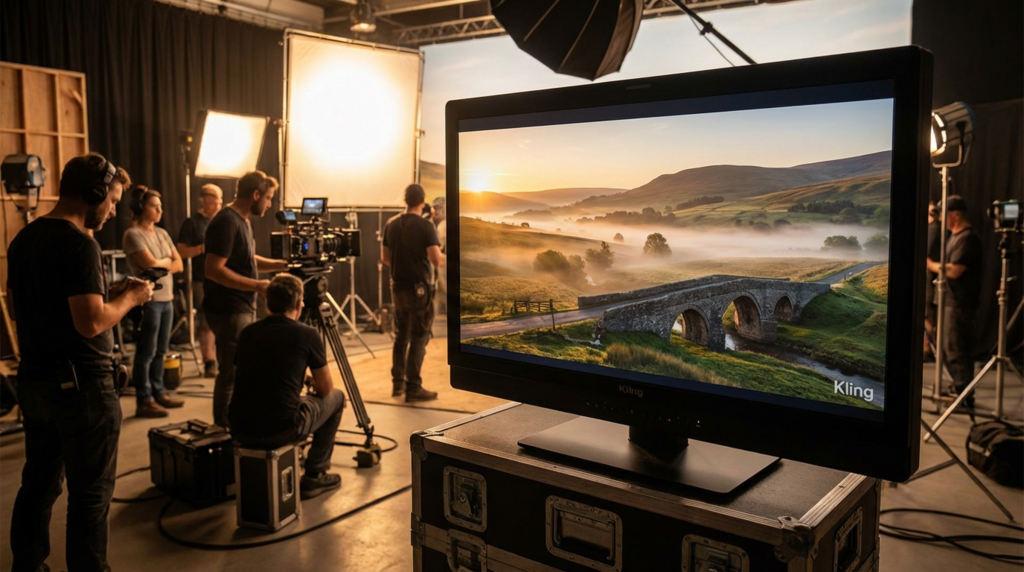
The AI video space in 2025 is exploding with new tools promising “cinematic quality,” “next-gen realism,” and “professional motion.” With so many choices, creators, marketers, and founders all face the same question: Which AI video generator should I actually use? One name that consistently stands out — especially for realistic motion and controllable cinematography — is Kling o1, available directly in the browser through platforms like Lovart. This guide breaks down how Kling o1 compares with other AI video generators in 2025, what makes it unique, and how to decide whether it’s the right tool for you. Video has become the default format for ads, short-form content, and product storytelling. Traditional video production is too slow and too expensive for rapid testing. AI video now fills the gap: fast, scalable, and usable even by non-technical teams. But not all AI models are built the same. Some focus on stylized content, some on cinematic realism, and some on speed. Kling o1 focuses on something else entirely: control + realism. Kling o1 is a new generation of AI video engine built around one idea: Instead of being only a text-to-video model, Kling o1 acts like a unified video creation system: Generate full scenes from written prompts. Turn a static reference image into a moving, camera-tracked shot. You decide exactly how a shot begins and ends — essential for ads, product demos, and cinematic transitions. Copy the movement of a real camera and apply it to an AI-generated scene. Object removal, object insertion, and style re-painting all happen in one pipeline. Generate → extend → edit → restyle — all inside one model, no switching tools. This makes Kling o1 feel less like “AI magic” and more like a virtual camera system. Below are the key differences between Kling o1 and other major AI video tools used in 2025 (Pika, Luma, Veo, Sora). This section focuses on real practical distinctions — not hype. Fun, stylized, social-friendly content Anime, gaming, and hyper-stylized aesthetics Good for TikTok/Reels creators who want effects More realistic motion and lighting More control over shot composition Better for product videos, ads, and lifelike scenes More stable subject consistency Choose Pika for stylized creativity. Choose Kling o1 for anything that needs to “look like real footage.” High-detail rendering Cinematic, slow-motion, conceptual shots Strong physics and natural movement More precise control of start/end frames Better continuous shot editing in the same model Cleaner camera control for structured scenes Better suited for ads, product demos, and storyboard-style content Choose Luma if you want highly artistic, concept-driven clips. Choose Kling o1 if you want controllable, realistic footage for commercial use. Extremely high ceiling in visual quality Long sequences & advanced scene understanding Cutting-edge physics and creative storytelling Access may be limited Pricing & rights often tied to larger platform bundles Less hands-on control for shot-specific production work Fast access via browser platforms More deterministic, controllable shot workflows Designed for repeatable production, not just demos If you need actual practical outputs weekly, Kling o1 is often easier and more predictable. Kling o1 is the best choice if you are: You need realism → Kling o1 wins. Fast iteration → Kling o1 wins. Fewer “random” results → Kling o1 wins. Unified editing + generation saves massive time. Kling o1 is built for people who want their AI videos to look real, feel controlled, and be predictable. You might prefer a different AI video generator if: You want hyper-stylized, anime, or meme-like content → pick Pika You want cinematic abstract sequences → pick Luma You have access to Veo/Sora and want bleeding-edge experimentation But for 90% of practical commercial work, Kling o1 is the most balanced and controllable choice. AI video in 2025 is not just about creativity — it’s about control, realism, and speed. If your priority is: Realistic lighting Smooth motion Cinematic camera behavior Editing inside the same model Fast browser-based workflow Then Kling o1 is one of the most practical and production-ready options available today. It’s especially powerful when accessed through platforms like Lovart, where you can use it directly online without hardware or setup: 👉 Try Kling o1 and test it against your current video workflow. You’ll immediately feel the difference in realism, consistency, and controllability — and that’s exactly why Kling o1 continues to rise as one of the top AI video engines of 2025.Why AI Video Matters More Than Ever in 2025
What Makes Kling o1 Different?
“Give creators precise control — not just random results.”
✔ Text-to-video
✔ Image / subject-to-video
✔ Start & end frame control
✔ Reference camera motion
✔ Add / remove / edit elements inside a video
✔ Unified workflow
Kling o1 vs Other AI Video Generators
1. Kling o1 vs Pika
Where Pika is strong
Where Kling o1 wins
Which should you pick?
2. Kling o1 vs Luma (Dream Machine / Ray models)
Where Luma is strong
Where Kling o1 wins
Who should choose which?
3. Kling o1 vs Big Tech Models (Veo & Sora)
Where Veo / Sora are strong
But the catch
Where Kling o1 fits in
Comparison Snapshot
Who Should Use Kling o1?
✔ A marketer making product videos, ads, or brand content
✔ A founder wanting high-quality visuals without a production crew
✔ A creator who needs reliable subject consistency & camera motion
✔ A small team building video assets weekly
When You Might Choose Another Tool
Final Verdict
 Supriyo Khan
 Supriyo Khan
 Supriyo Khan
 Supriyo Khan
Want to add a comment?