Got a video that’s almost perfect? Maybe it’s a great family memory, a sharp marketing clip, or a social media post you’re proud of. But there’s a problem, a distracting logo or text watermark is stuck in the corner, pulling focus from what really matters. It’s a common frustration that can make your content look unprofessional or just plain annoying. You need a clean, simple way to fix it without learning complex software.
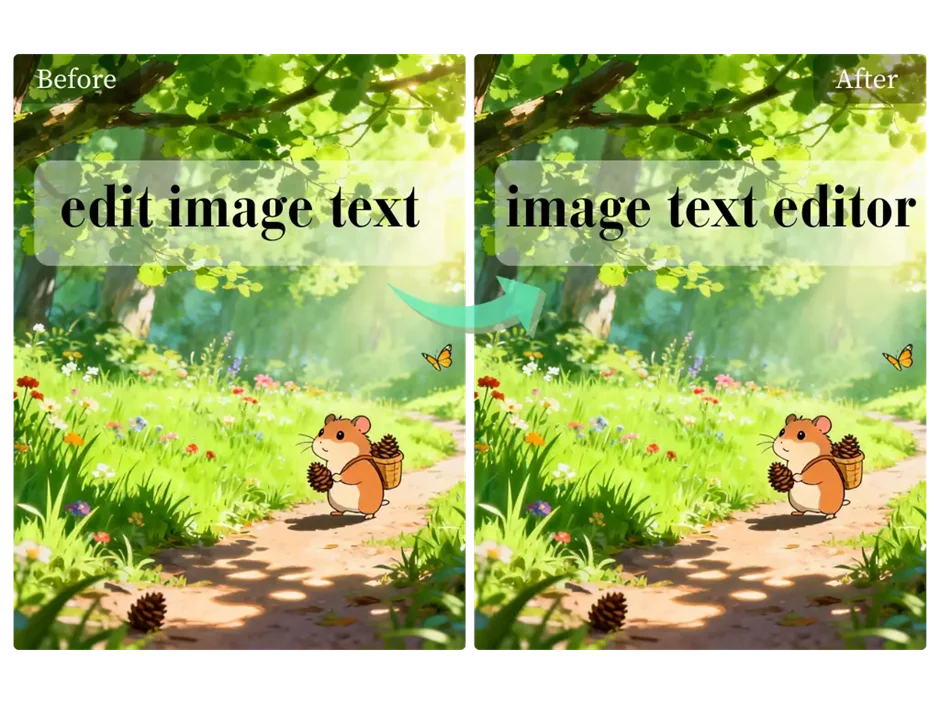
Fortunately, technology has come a long way. You no longer need to crop your videos or settle for a blurry spot where the logo used to be. Modern tools use smart AI to intelligently remove unwanted elements. This technology is so advanced that for still images, you can even use a Free photo Text Editor to type simple commands and watch logos disappear. This text-based approach is revolutionizing how we handle quick edits on photos and thumbnails.
When it comes to the moving frames of a video, you need a
specialized tool built for the task. The best solutions are fast, intuitive,
and preserve the original quality of your footage. That’s where a dedicated
online Video Watermark Remover becomes essential.
It uses powerful algorithms to analyze the content behind the watermark and
fill it in seamlessly, frame by frame. This guide will walk you through the
entire workflow for getting crystal-clear videos in 2026.
Before we jump into removing them, it helps to understand why they’re there in the first place. Watermarks aren't just there to be difficult; they usually serve a specific purpose for the creator or owner of the content.
1. Copyright and Ownership: This is the most common reason.
Creators and stock footage companies place their logo on videos to protect
their work from being used without permission. It’s a clear visual sign that
says, "This content belongs to me."
2. Branding and Promotion: Many companies and social media
influencers add their logo to their videos as a form of marketing. As the video
gets shared, their brand travels with it, which can increase recognition and
drive traffic back to their site or channel.
3. Trial Version Limitations: If you’ve ever used a free
trial of a video editing program, you’ve likely seen this. The software company
will place its watermark on your exported video, which is only removed once you
purchase the full version.
It’s important to talk about the right way to use watermark removal
tools. You should only remove watermarks from videos you own or have the legal
right to edit. For example, you might have lost the original, unwatermarked
file for a video you created years ago. Or maybe you downloaded a clip from a
stock service you subscribe to, but the watermark is still there. These are
perfect scenarios for these tools. However, using them to steal content you
don't own is illegal and unethical. Always respect copyright.
In the past, getting rid of a watermark was a clumsy process. Your
options were limited and often produced poor results. You could crop the video,
but that meant losing part of the picture and ruining the original framing.
Another option was to place a blur over the watermark, but that just replaces
one distraction with another.
Today, artificial intelligence has completely changed the process.
Modern AI-powered tools don't just cover up a watermark; they rebuild the video
underneath it. Here’s a simple breakdown of how it works:
* Content-Aware Analysis: The AI scans the pixels surrounding
the watermark on every frame.
* Intelligent Reconstruction: It uses this information to
predict what the background should look like. If the watermark is over a blue
sky, it fills the space with the correct shade of blue. If it’s over a textured
brick wall, it recreates the brick pattern.
* Seamless Blending: The tool then blends the new pixels with
the original ones, making the edit look natural and often impossible to spot.
This process ensures your video maintains its original resolution
and aspect ratio without any awkward blurs or missing pieces.
When you need reliable, high-quality results without a complicated
process, the EZRemove AI suite is the best solution available. This workflow
combines two powerful tools to give you a clean video and perfect promotional
stills.
This tool is your primary workhorse for the video itself. It’s
designed to be incredibly straightforward, allowing anyone to get professional
results in just a few clicks.
Here’s how to use it:
1. Upload Your Video: Head to the website and upload the
video file you want to edit. The platform supports all common video formats.
2. Select the Watermark: Once the video is loaded, a simple
selection box will appear. Drag and resize this box to cover the entire
watermark. Try to be as precise as possible for the best results.
3. Process with AI: Click the "Remove" button and
let the AI get to work. It will go through your video frame by frame, analyzing
and reconstructing the area behind the watermark. This process is surprisingly
fast.
4. Download and Share: After a few moments, you’ll see a
preview of the finished video. If everything looks good, just hit the download
button. You now have a clean, watermark-free video ready to be used.
The biggest benefit here is quality. The AI is exceptionally good at
handling different backgrounds, from simple static shots to complex, moving
scenes.
Once your video is clean, you'll likely need a great thumbnail or a
still image for promotion. This is where the second part of the workflow comes
in. Taking a screenshot from your clean video gives you a perfect source image.
But what if there’s another small element you want to remove from just that
still frame?
This is where the photo text editor shines. Instead of messing with complex selection tools in a traditional photo editor, you can just type a command.
For example, you could:
* Upload your screenshot.
* Type "remove the small logo in the bottom left."
* Let the AI identify and erase it instantly.
This two-tool approach gives you complete control over both your
video and the images you use to represent it, making your content look polished
and professional from every angle.
While AI tools are the best choice for most people, it's good to
know about other methods to understand why they're not as effective.
This is the most basic approach. You simply cut off the part of the
video that contains the watermark.
* Pros: It’s fast and easy.
* Cons: This method only works for watermarks located at the
very edge of the frame. You lose a portion of your video, which can ruin the
composition and change the aspect ratio, leading to black bars on the sides
when viewed on certain screens. It’s a destructive method that sacrifices
content.
Many basic video editors offer a blur or mosaic effect that you can
place over a watermark.
* Pros: It keeps the original video dimensions.
* Cons: It doesn’t actually remove the watermark. It just replaces it with a distracting, out-of-focus blob that screams "edited." This often looks worse than the original watermark and can cheapen the look of your video.
Tools like Adobe After Effects or DaVinci Resolve can be used to
remove watermarks, but they are not for beginners.
* Pros: They offer a high degree of control for professional
editors.
* Cons: These programs have a massive learning curve.
Removing a watermark might involve advanced techniques like content-aware fill,
masking, and motion tracking, which can take hours to learn and execute
properly. They are also expensive and require a powerful computer. For a quick
fix, they are complete overkill.
1. Is it legal to remove a watermark from a video?
It is legal only if you own the rights to the video or have
permission from the copyright holder. Removing a watermark from content you do
not own is a copyright infringement.
2. Can I remove a moving or animated watermark?
Yes, modern AI tools are getting very good at this. They use motion
tracking to follow the watermark as it moves across the screen, removing it
from each frame along its path.
3. Will removing a watermark reduce the video quality?
Using older methods like blurring or cropping will degrade quality.
However, a high-quality AI remover is designed to preserve the original video
quality by intelligently reconstructing the pixels, resulting in no noticeable
loss in resolution.
4. What is the best free tool for removing video watermarks?
For ease of use, speed, and quality, an online AI-powered tool like the
EZRemove Video Watermark Remover is the top choice. It delivers excellent
results without requiring any technical skill or software installation.
A watermark no longer has to be a permanent flaw in your video.
Thanks to powerful and accessible AI tools, you can easily restore your footage
to its original, clean state. The combination of a dedicated video watermark
remover for the main content and a photo text editor for the finishing touches
on thumbnails creates a complete and effective workflow.
By following the steps outlined in this guide, you can confidently remove distracting
elements, maintain the quality of your work, and ensure your videos look
exactly the way you want them to.
 Supriyo Khan
 Supriyo Khan
 Supriyo Khan
 Supriyo Khan

Want to add a comment?