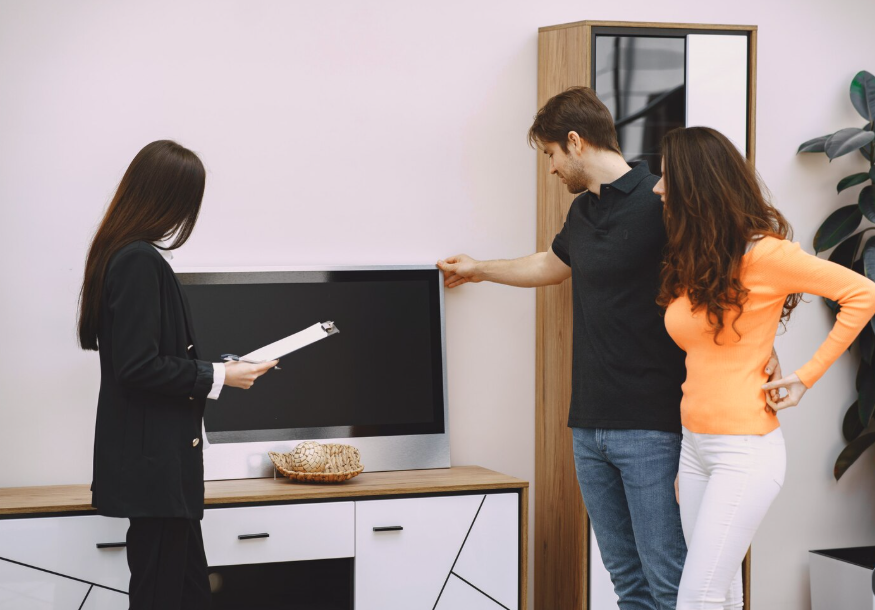
A minimalist media wall unit can make a living room look orderly, but its appearance depends on what happens behind the panels and cabinets. Television power leads, streaming cables, speakers, game consoles, and internet equipment all need a clear route. This guide explains what a media wall unit can conceal, where its limits are, and how to plan a cleaner installation before furniture arrives.
Start With the Cable Route
A media wall unit hides cable clutter most effectively when the route is planned before the unit is positioned. List every device that will connect to the television, then mark where each cable begins and ends. Include equipment that you might add later, such as a soundbar, games console, or media player.
The wall itself also matters. A freestanding unit can hide cables behind its back panel, while a mounted unit needs a planned route through the wall or along a concealed channel. Never assume that a large cabinet will cover every cable. Measure the television, sockets, aerial points, and device locations together. For a coordinated furniture search, shop ultra-modern TV stand options that combine a television surface with storage and shelving.
Minimalist furniture works best when each device has a suitable place. Closed cabinets conceal consoles, routers, and power strips, while open shelving keeps remote controls and frequently used equipment easy to reach. Ventilation matters because enclosed electronics produce heat during use.
When comparing options, check these practical details:
Openings for cables at the rear or sides of each compartment.
Sufficient depth for connected equipment and plugs.
Ventilation around devices that generate heat.
Doors that allow remote-control signals to reach equipment.
Accessible sockets for safe inspection and replacement.
A media wall unit with no rear clearance can press against plugs and strain connections. A compartment with a solid door can also weaken remote-control performance if the equipment relies on an infrared signal. Position devices so that you can reach their controls without dismantling the entire arrangement.
The inspected collection includes floor-standing media units, mounted television wall units, and freestanding shelving. That range helps you compare how each format handles equipment, display space, and visible wiring before choosing a layout.
A clean result depends on accurate placement. Mark the television’s intended position with removable tape, then mark the unit’s width and the location of every device. This test shows whether a socket sits behind a cabinet, whether a cable can reach its destination, and whether doors or drawers will obstruct a plug.
Check the wall material and the weight of the furniture before mounting anything. A wall-mounted unit needs suitable fixings for the wall construction, while a freestanding unit still needs stable positioning. Keep the television’s ventilation areas clear, and avoid covering sockets that you might need later.
If electrical work is required, use a qualified professional rather than cutting into the wall without checking what lies behind it. The inspected product page states that installation of a displayed modern panel does not include electrical work, so electrical planning remains a separate task from selecting the furniture.
A minimalist media wall unit can hide visible cables from normal viewing angles, but no furniture can remove the need for access. A power lead still needs to connect to a socket, and devices still require maintenance. The most successful installations conceal the route while keeping essential connections reachable.
Cable clutter usually remains visible in four places:
Along the wall between the television and the unit.
Beside an open shelf holding a console or speaker.
Behind the unit where loose cables spill onto the floor.
Around a socket that sits outside the furniture’s footprint.
Use short, correctly rated cables where possible, and label both ends before pushing equipment into a cabinet. Labels save time when a device needs troubleshooting. Keep chargers, adapters, and spare leads in one accessible compartment instead of placing them behind the television.
A neat arrangement also depends on the surrounding room. Avoid placing a lamp lead, extension cord, or speaker wire across the unit’s visible side. Cable control should cover the complete viewing area, not just the space directly behind the screen.
Follow an ordered setup so the furniture does not need to be moved repeatedly:
Measure the wall, television, unit, sockets, and connected devices.
Decide which equipment belongs in closed storage or open shelving.
Mark the cable route and confirm that every lead can be reached safely.
Install suitable cable channels, wall routes, or rear openings.
Position the unit and connect equipment before final tightening.
Test television signals, remote controls, ventilation, and socket access.
A minimalist media wall unit can hide nearly all visible cable clutter when you plan the furniture, wall route, sockets, and equipment together. Choose storage with practical rear access, keep heat-producing devices ventilated, and separate electrical work from furniture installation. Before buying, sketch the complete setup and check every cable length, opening, and connection point. That small preparation creates a cleaner room and easier maintenance.
 Supriyo Khan
 Supriyo Khan
 Supriyo Khan
 Supriyo Khan

Want to add a comment?