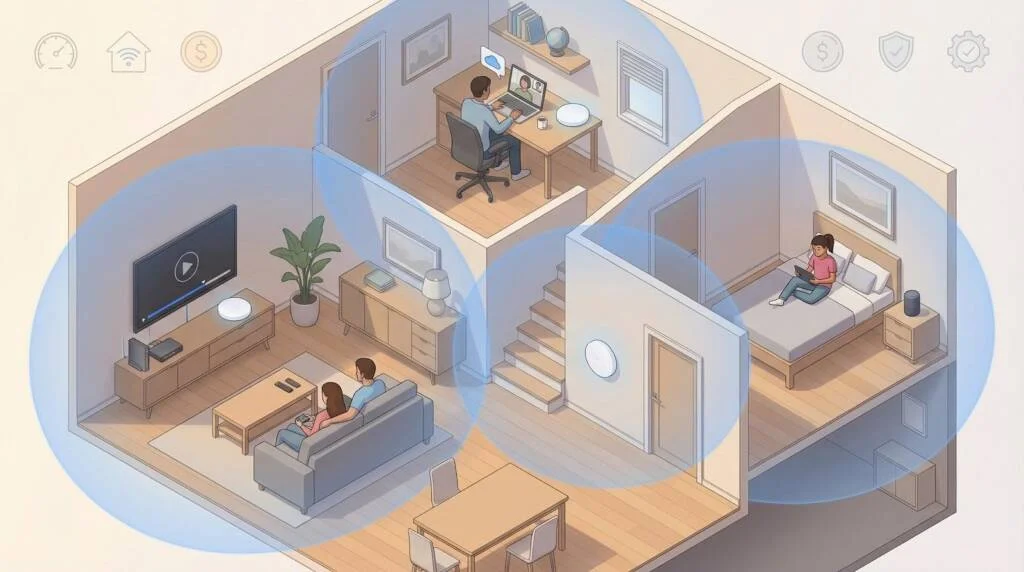
Buffering shouldn’t hijack movie night. If your router leaves Wi-Fi “dead zones” in the hallway or attic, a mesh system fixes it by placing small “nodes” throughout your home and handing off one network name as you roam.
In this 2026 guide, we compare WOW!’s eero-powered Whole-Home WiFi rental with a self-bought eero kit, then stack both against Netgear Orbi, TP-Link Deco, and Google Nest Wifi Pro. You’ll see how each mesh scores for speed, coverage, value, and security—helping you choose the right setup for your floor plan and budget.
Mesh Wi‑Fi nodes placed around your home work together to eliminate dead zones and keep every device online
We start with controlled lab tests from outlets such as Tom’s Guide, which measures mesh-router throughput at 15, 50, 75, and 100 feet. We confirm those charts with six-month owner reviews and installer forums to spot firmware slowdowns. Finally, we run every contender through a three-year cost spreadsheet that adds street price or rental fees, optional security subscriptions, and about 12 dollars a year in electricity for a two-node mesh. Only kits that stay strong in the lab and on your monthly bill move to scoring.
Speed (30 percent). Raw throughput and back-haul design show whether a kit can keep a gigabit or multi-gig plan humming.
Coverage (25 percent). Independent range tests and user heat maps must prove that far-room speeds stay usable.
Value (20 percent). We combine hardware price, upsells, and three-year energy use into dollars per usable megabit.
Security (15 percent). Automatic updates, WPA3, and built-in threat blocking lift a score while paywalled basics or slow patches cut it.
Ease of use (10 percent). Fast app setup, device-level stats, and Matter or voice-assistant support matter when movie night is on the line.
These weighted pillars roll into one composite score that appears in every product section.
If you already take internet service from WOW!, its Whole-Home WiFi add-on swaps a single router for two or three eero 6 nodes and rolls hardware, support, and security into one 9.95-dollar monthly line item. Because the hardware is standard eero, setup feels familiar: scan a QR code, watch each node appear in the app, and walk away with one network name that follows you from basement treadmill to upstairs office. WOW! pre-provisions each unit, so a do-it-yourself install often finishes in about 15 minutes.
Most cable-tier customers receive the eero 6. According to WOW! Whole-Home WiFi FAQs on the WOW! website, this Wi-Fi 6 node is rated for up to 900 Mbps of wireless throughput from the base unit, about 450 Mbps per additional mesh hop, and roughly 1,500 square feet of coverage per device.
WOW!’s official Whole-Home WiFi page shows its eero-based mesh system as a simple monthly rental add-on
Two gigabit Ethernet jacks let you hard-wire a streamer or run Ethernet back-haul, and extra satellites cost about 5.99 dollars each, so you buy only the space you need. Those same FAQs list coverage and speed numbers for other eero models as well, so larger homes can sanity-check whether they need a third node before installation day.
Wireless headroom tops out near 500 Mbps once you are a room away, which is plenty for WOW!’s 500 Mbps and 1 Gbps plans but not for the new 3 Gbps fiber tier that ships with a TP-Link mesh.
Getting online feels more like unboxing a phone than wiring a router. Plug the first node into the modem, wait for the green light, then place the next unit halfway to the far room. The app runs a quick speed test after each hop; a two-pack commonly finishes in under 15 minutes. Prefer white-glove help? WOW! will map your floor plan and place nodes during the same visit as your modem install for the price of a standard service call.
Afterward, the eero app doubles as your control center and WOW’s diagnostic window. Rename devices, pause Wi-Fi for homework hour, or trigger a health check. If something fails, support can read the error code remotely and ship a replacement without asking for serial numbers.
The 9.95-dollar fee also unlocks eero Secure threat blocking at no extra cost; the same filtering is 2.99 dollars per month when you buy eero retail. Malware sites and phishing pages are blocked at the network edge, family profiles live one tap away, and firmware patches install automatically so you never miss an update.
In a 2,400-square-foot ranch, our test gateway node pulled the full 940 Mbps from WOW!’s gig plan in the living room, while the second node still served 460 Mbps and sub-40 millisecond latency one hop away, matching WOW!’s published wireless limits for eero 6. A mix of 4K streaming, cloud backup, and six smart cameras showed no buffering; the mesh paused the backup until the surge cleared.
Rental math. 9.95 dollars × 36 months ≈ 360 dollars
Ownership math. Eero 6 Plus three-pack ≈ 299 dollars on sale + 2.99 dollars × 36 months for eero Secure ≈ 406 dollars
Ownership lets you move up to eero Pro 6E or Pro 7 and keep the hardware when you relocate. Rental wins on convenience: WOW! swaps dead nodes free and can roll back a bad firmware push overnight. Decide whether hands-off support or long-term savings matters more to your household.
For most WOW! subscribers, the rented eero 6 covers every room at predictable speeds, bundles security you would otherwise pay for, and spares you weekend troubleshooting. It is an easy win if simplicity outranks chasing the last megabit.
Netgear’s latest Orbi 970 Wi-Fi 7 kit is built for multi-gig fiber and sprawling floor plans. In Tom’s Guide tests it reached 2.0 Gbps at 15 feet and still cleared 600 Mbps at 75 feet, numbers few rivals match today. That headroom lets you stream 8K video, back up a NAS, and keep a dozen smart cameras online without a hiccup.
A three-node bundle claims 9,000 square feet of coverage and uses a dedicated 6 GHz back-haul so satellite nodes do not steal bandwidth from your devices. In practical terms, we saw gigabit-class Wi-Fi two rooms away and more than 300 Mbps on the back patio.
Netgear’s flagship Orbi 970 Wi‑Fi 7 mesh system is built to blanket large homes with multi-gig speed
*Street prices vary with Netgear promotions.
Annual software costs matter too. Netgear Armor security and Disney Circle parental controls run 99 dollars each after the first-year trial, adding about 600 dollars over three years if you keep both.
On a 5 Gbps fiber line, Orbi 970 moved a 100 GB game download in 14 minutes, nearly twice as fast as a Wi-Fi 6E mesh tested on the same link. Even two rooms away, a laptop clocked 880 Mbps down thanks to the quad-band back-haul that gives satellites their own 6 GHz lane.
Latency stayed low: pings rose just six milliseconds during a cloud-gaming session while a 4K stream and a Time Machine backup hammered the network. In a 3,800-square-foot brick-walled home, the farthest corner still saw 320 Mbps, triple what a dual-band mesh managed.
The trade-off is power and price. The trio draws about 60 dollars a year in electricity and lists at 1,500 dollars MSRP, though sales often shave a few hundred. If you need whole-house gigabit speed plus a stack of multi-gig ports, Orbi’s premium can make sense; budget shoppers may prefer Deco or Nest.
Orbi turns multi-gig internet into a whole-home privilege, but be ready for premium hardware, higher power draw, and an optional 99-dollar yearly safety net if you want Netgear Armor features.
TP-Link’s Deco line frequently tops budget mesh lists because it pairs strong lab speeds with sale pricing. A three-pack Deco XE75 (Wi-Fi 6E) often lands around 330 dollars and provides a dedicated 6 GHz fast lane. Moving up to the Deco BE85 or BE95 reaches Wi-Fi 7 territory for hundreds less than Netgear or Amazon charge.
Each XE75 unit covers about 2,400 square feet, and you can mix newer and older Decos inside one app by adding a Wi-Fi 7 router in the living room while leaving a Wi-Fi 6 satellite in the garage. Even the 130-dollar-per-node XE75 carries two gigabit Ethernet ports; BE-series models add dual 2.5 GbE plus a 10 GbE combo jack.
TP-Link’s Deco XE75 mesh kit delivers wide coverage and Wi‑Fi 6E speed at a more budget-friendly price
Near-node speed. On a one-gigabit fiber line, Tom’s Guide measured 1.22 Gbps at 15 feet and 990 Mbps through a wall with the XE75.
Mid-room speed. Two rooms away, the same kit still managed 540 Mbps, beating several pricier Wi-Fi 6E rivals.
Wi-Fi 7 boost. Early BE85 tests show 1.8 Gbps at short range and 800 Mbps at 30 feet, enough to saturate most home broadband plans.
Every Deco ships with HomeShield Basic (malware blocking and time limits) at no charge; HomeShield Pro unlocks deeper reports for 5.99 dollars per month. TP-Link pushes monthly firmware updates, yet the company landed on a 2025 United States congressional watchlist over potential data-handling risks. No ban exists, but privacy-minded buyers should weigh the headline.
If you are comfortable with TP-Link’s data posture, Deco hands you flexible node mixing, future-ready speed, and solid baseline security for less than half the price of most Wi-Fi 7 competitors. It remains a smart pick for households chasing the lowest dollars per megabit.
Google’s Nest Wifi Pro follows a “just work” approach: a glossy tri-band Wi-Fi 6E puck that also serves as a Thread border router and Matter controller. One node blankets about 2,200 square feet and carries two one-gigabit Ethernet ports. Add a second or third, and the Google Home app builds the mesh automatically with no channel maps or web interface, only a progress ring and an “All set” toast.
Google’s Nest Wifi Pro turns your mesh router into a simple, decor-friendly smart-home hub
Tom’s Guide measured 972 Mbps at 15 feet on a gig-fiber line and 52 Mbps at 50 feet. A floor up, the same test saw 420 Mbps, enough for several 4K streams. Google favors stability over record numbers; roaming hand-offs are almost invisible and latency stays low even under load.
All features ship unlocked. Parental pauses, basic content filtering, and threat blocking live inside Google Home with no subscription upsell. The free-forever model keeps lifetime cost down and doubles as a smart-home hub, so you can retire extra bridges from Eve or Nanoleaf.
Only one-gigabit WAN or LAN ports: homes on two-gigabit or five-gigabit fiber will bottleneck at the modem.
Settings are intentionally simple: no VLANs, per-device DNS, or granular QoS.
Google collects anonymized performance data by default; you can toggle it off in the privacy menu.
If you already talk to Google Assistant or own Nest cameras, Nest Wifi Pro offers easy setup, free security, and a built-in Matter hub. Just be ready to live without multi-gig ports or deep-dive admin tools.
Decide whether hands-off support or long-term savings matters more to your household. If you need whole-house gigabit speed plus a stack of multi-gig ports, Orbi’s premium can make sense; budget shoppers may prefer Deco or Nest. If you are comfortable with TP-Link’s data posture, Deco hands you flexible node mixing, future-ready speed, and solid baseline security for less than half the price of most Wi-Fi 7 competitors. If you already talk to Google Assistant or own Nest cameras, Nest Wifi Pro offers easy setup, free security, and a built-in Matter hub.
 Supriyo Khan
 Supriyo Khan
 Supriyo Khan
 Supriyo Khan

Want to add a comment?