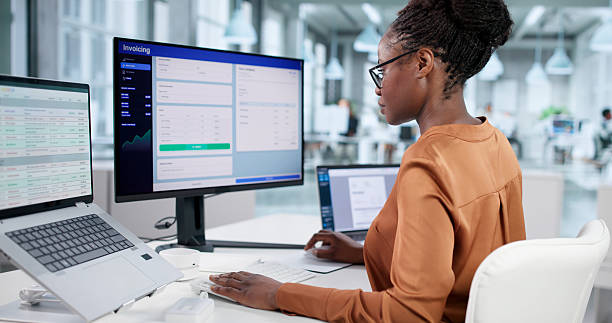
Office computing continues to evolve as organizations look for smaller, more efficient systems that still deliver dependable performance. Modern mini PCs combine capable processors, quiet cooling systems, enterprise security features, and flexible connectivity inside compact designs that fit easily into professional environments.
From spreadsheets and cloud software to video conferencing and multi-monitor setups, today’s mini PCs provide the performance most offices need while reducing desk clutter and energy consumption.
Below are several of the best mini PCs for office productivity in 2026, selected for their performance stability, connectivity, long-term reliability, and overall value for professional use.
Best for: High-performance productivity in modern office environments
GEEKOM has established a strong reputation for producing compact systems that deliver reliable performance for professional workloads. Its devices focus on balanced hardware, effective thermal engineering, and modern connectivity that supports today’s office setups.
The GEEKOM IT12 and IT13 Max Mini PCs are two of the brand’s most capable productivity systems. Equipped with Intel Core processors, these machines provide the computing headroom needed for multitasking across office applications such as spreadsheets, business software, web tools, and video meetings.
The IT12 offers dependable performance for daily productivity with 12th Gen Intel Core i7-1280P and i5-12450H options, along with Intel Iris Xe or UHD graphics, up to 64GB DDR4 memory, and flexible storage including NVMe SSD, M.2 SATA SSD, and 2.5-inch SATA support. The IT13 Max builds on this with a newer 14th Gen Intel Core Ultra 9 185H processor, improved efficiency, DDR5 memory support, and upgraded connectivity for more demanding office workloads.
Connectivity is a strong advantage of both systems. USB4 ports support fast data transfer, docking stations, and multi-monitor workstation setups. The IT13 Max further enhances this with dual 2.5GbE LAN ports and next-generation wireless connectivity including Wi-Fi 7 and Bluetooth 5.4.
Long workdays require stable performance. GEEKOM’s IceBlast cooling architecture helps maintain consistent processor speeds under sustained workloads so productivity remains smooth throughout the day.
• Intel Core i5 and i7 processors (IT12) and up to Intel Core Ultra 9 185H (IT13 Max, 14th Gen)
• Intel Iris Xe and Intel Xe LPG integrated graphics
• Up to 64GB RAM (DDR4 on IT12, DDR5 on IT13 Max)
• Dual USB4 plus multiple USB 3.2 Gen 2 ports and USB 2.0
• 2 × HDMI outputs for multi-monitor setups
• Dual 2.5GbE LAN (IT13 Max) and 2.5GbE LAN (IT12)
• Flexible storage with PCIe Gen 4 NVMe SSD, additional M.2 slot, and 2.5-inch SATA support
• Wi-Fi 6E (IT12) and Wi-Fi 7 with Bluetooth 5.4 (IT13 Max)
• 3.5 mm headset jack and modern I/O connectivity
• IceBlast cooling system for sustained performance
• Windows 11 support with TPM 2.0 security
• Compact design with VESA mount support
• Excellent multitasking performance for office tasks
• Reliable thermal design for long working hours
• Strong connectivity including dual LAN and next-gen wireless
• Upgradeable hardware supports long-term use
• Compact system ideal for limited desk space
• Higher configurations can increase cost
ASUS continues the long-running NUC legacy with systems designed for business environments that require dependable performance and strong build quality.
The ASUS NUC 15 Pro+ integrates modern Intel processors into a compact chassis suitable for desk placement or monitor mounting. This makes it an attractive option for offices where saving space and maintaining organized workstations are priorities.
The system delivers solid performance for office applications, web platforms, productivity software, and video conferencing tools.
• Latest Intel processors designed for business productivity
• Support for multiple high-resolution displays
• Compact premium chassis design
• Reliable ASUS engineering and support
• Consistent performance for office workloads
• Trusted brand with strong reliability reputation
• Compact design suitable for modern desks
• Higher price compared to some competitors
• Limited configuration flexibility
The Apple Mac mini powered by the M4 chip remains a popular compact desktop for businesses operating within the Apple ecosystem.
Apple’s custom silicon architecture delivers impressive performance efficiency while maintaining smooth multitasking across productivity applications, collaboration platforms, and video meetings.
For offices already using Apple hardware and macOS software, the Mac mini integrates seamlessly with other Apple devices and services.
• Apple M4 processor architecture
• Unified memory for efficient performance
• Tight integration with macOS productivity tools
• Compact aluminum enclosure
• Excellent performance efficiency
• Quiet and energy-efficient operation
• Seamless Apple ecosystem integration
• Hardware upgrades are limited after purchase
• macOS ecosystem may not suit every organization
Beelink mini PCs have become popular among remote professionals and small businesses thanks to their balanced performance and compact form factor.
The Beelink EQR6 offers enough processing power for everyday business workloads including spreadsheets, CRM tools, browser applications, and virtual meetings.
Its quiet cooling system makes it well suited for shared workspaces or meeting rooms where minimal noise is important.
• AMD processors suitable for everyday productivity
• Dual or triple display support
• Quiet cooling system
• Compact metal chassis
• Reliable performance for common office tasks
• Good multi-display support for productivity
• Competitive value for smaller teams
• Fewer enterprise management features
• Limited options for higher performance configurations
Lenovo’s ThinkCentre lineup has long been trusted in enterprise environments. The ThinkCentre neo 50q Gen 4 focuses on reliability, security, and easy deployment for organizations managing multiple systems.
Its compact design allows flexible placement while maintaining stable performance for everyday business software and communication tools.
• Reliable processors for office productivity
• Compact chassis suitable for desk or monitor mounting
• Enterprise-focused security features
• Long lifecycle support for IT deployments
• Trusted enterprise reliability
• Easy to manage in corporate environments
• Stable performance for professional applications
• Hardware configurations are relatively conservative
• Less emphasis on high-performance workloads
The GMKtec EVO T1 is designed for offices seeking affordable compact systems for basic productivity tasks. It provides sufficient performance for document editing, web-based software, cloud tools, and communication platforms.
Its small footprint also helps keep desks organized in smaller offices or home workspaces.
• Efficient processors suitable for everyday office software
• Lightweight and compact system design
• Multi-display support
• Energy-efficient operation
• Affordable option for small offices
• Compact system saves desk space
• Low power consumption
• Limited performance for heavy multitasking
• Fewer upgrade possibilities compared to premium systems
Office computers frequently run several applications at the same time, including web browsers, spreadsheets, communication platforms, and cloud-based tools. Choosing a mini PC with a capable processor helps ensure smooth multitasking and consistent responsiveness during daily work.
Office systems often operate for long periods throughout the workday. Efficient cooling helps maintain stable performance and prevents slowdowns during extended workloads such as large spreadsheet processing or heavy browser usage.
Many professionals benefit from dual or triple monitor setups, which can significantly improve productivity. A mini PC that supports multiple displays allows users to manage documents, communication tools, and applications simultaneously.
Modern connectivity options extend the usefulness of office computers. Ports such as USB4, Thunderbolt, and high-speed networking support fast data transfer, docking stations, external storage, and multi-device workstations.
Mini PCs that allow upgrades to RAM and storage can remain useful for longer periods. Expandable hardware helps businesses adapt systems to increasing workloads without replacing entire machines.
The best mini PC for office use combines reliable multitasking performance, quiet operation, support for multiple displays, and strong long-term stability. Systems such as the GEEKOM IT12 and IT13 Max provide the processing power and connectivity needed for modern productivity tasks.
Yes. Modern mini PCs are equipped with processors capable of handling common office workloads such as spreadsheets, cloud-based software, video meetings, web applications, and business management tools.
For many workplaces, mini PCs offer similar computing performance while using less space and consuming less power. Their compact design also makes it easier to keep desks organized and deploy systems across multiple workstations.
For most professional office environments, 16GB of RAM is recommended to ensure smooth multitasking. Workflows that involve heavier data processing, large spreadsheets, or multiple applications running simultaneously may benefit from 32GB of RAM.
Modern workplaces increasingly favor compact computers that deliver strong productivity without taking up unnecessary desk space. Mini PCs now provide reliable performance for everyday professional workloads while remaining energy efficient and easy to deploy.
Among current options, the GEEKOM IT12 and IT13 Max stand out for their balance of performance, connectivity, and upgradeability within a compact form factor suited to modern offices.
Alongside capable alternatives such as ASUS NUC systems, Apple’s Mac mini, and enterprise platforms from Lenovo, mini PCs have become an increasingly practical solution for efficient and flexible workplace computing.
 Supriyo Khan
 Supriyo Khan
 Supriyo Khan
 Supriyo Khan

Want to add a comment?