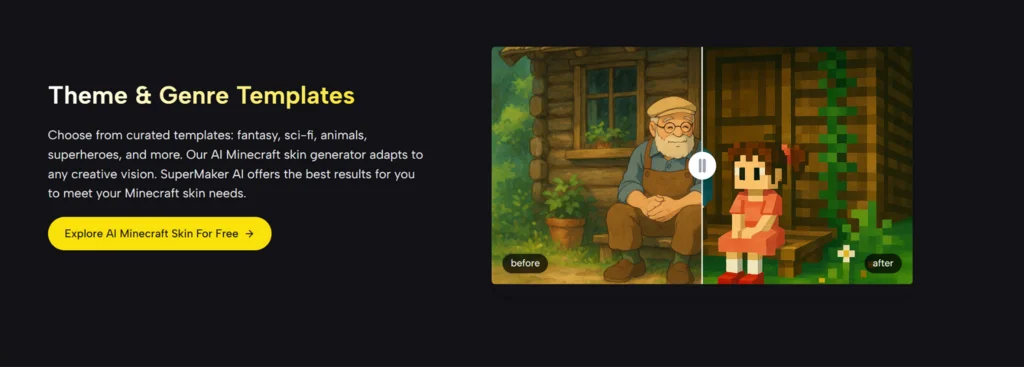
We all know someone obsessed with Minecraft. Maybe it’s your child who spends hours building elaborate houses. Maybe it’s your partner who unwinds by mining diamonds after work. Or maybe it’s your best friend who runs a private server. When their birthday or a holiday rolls around, you want to give them something related to their passion. But what? A gift card for Minecoins feels impersonal. A plush toy collects dust. You want to give them something that says, "I see your world, and I want to add something special to it." Imagine the look on their face if you handed them a file, they uploaded it, and suddenly they were playing as their own hand-drawn superhero, their beloved pet, or an inside joke shared between the two of you. This is the power of Hyper-Personalization. With the AI Minecraft Skin Generator generator at SuperMaker AI, you don't need to be a gamer or an artist to create the most thoughtful gift they will receive this year. You just need an image and a few seconds. Minecraft is a game about infinite creativity. Yet, the "gifts" available for it are often surprisingly limited. The Skin Packs: You can buy packs of skins from the marketplace, but they are mass-produced. If you buy your child a "Star Wars" skin pack, thousands of other kids have the exact same Luke Skywalker. It’s not special. The "Do It Yourself" Struggle: You could try to draw a skin for them using a pixel editor. But unless you are a secret pixel artist, the result might look... disappointing. You want to give them a masterpiece, not a mess. The gap between "I want to make something unique for you" and "I actually can" has always been too wide. SuperMaker AI bridges that gap. It allows you to become a Digital Artisan without needing to place a single pixel. How do you use an AI generator to create a sentimental moment? Here are three creative strategies that turn a simple PNG file into a core memory. This is the most magical application. The Scenario: Your child draws a picture on paper. Maybe it’s a "Monster with 3 Eyes" or "Super Princess." It hangs on the fridge for a week, then gets thrown away. The AI Upgrade: Take a photo of that drawing. Upload it to the generator. The Reveal: The AI interprets the child’s wobbly crayon lines and bright colors, converting them into a playable 3D skin. When you show them that their drawing is now alive in their favorite game, the excitement is unmatched. It validates their creativity in a way a store-bought toy never could. Every Minecraft player wishes their in-game wolf looked like their real dog. The Scenario: Your partner loves their Golden Retriever, "Buster." The AI Upgrade: Upload a clear photo of Buster. The AI captures the golden fur color, the texture, and the vibe. The Reveal: Send them the file with the note: "Now Buster can go mining with you." It’s a funny, heartwarming gesture that integrates their real-world love into their digital escape. The Scenario: You and your friend have a running joke about a specific ugly sweater, a weird celebrity, or a memorable vacation photo. The AI Upgrade: Turn that photo into a skin. The Reveal: Log into the server wearing that skin as a surprise, or send it to them to wear. It strengthens the bond of friendship through shared humor. Why is an AI-generated custom skin a better gift than a standard marketplace purchase? It comes down to emotional value. You might be thinking, "I don't play Minecraft. Is this hard?" Not at all. If you can attach a file to an email, you can do this. Step 1: Get the "Source Code" (The Image) Sneakily take a photo of the drawing, the pet, or the person. Or find the image on your phone. Crop it so the subject is in the center. Step 2: Let the AI Do the Work Go to the SuperMaker AI tool. Click "Upload." The AI analyzes the image. It figures out what parts should be the head, the body, and the legs. It handles all the technical mapping that usually confuses beginners. Step 3: The "Quality Control" Look at the preview. Does it look like the drawing? You can use the simple sliders to adjust the brightness or contrast if it looks too dark. Step 4: The Delivery Download the PNG file. Option A: Email it to them. Option B (The Pro Move): If you have access to their computer, upload it to their Minecraft launcher while they are away. When they log in next, their character will have magically transformed. In a digital world, our avatars are extensions of ourselves. When you help someone customize that avatar, you aren't just giving them a digital file; you are giving them the gift of Identity. You are telling them that their drawings matter, that their pets matter, and that their unique style deserves to be seen. So, don't settle for the generic gift card this year. Open your camera roll, find a memory, and use SuperMaker AI to turn it into a legend. The best gifts aren't bought in a store; they are generated from the heart.The Problem with Generic Gifts in a Creative World
Three Ways to Win "Best Gift Giver" Award
1. The "Fridge to Server" Transformation (For Parents)
2. The "Pet Companion" (For Animal Lovers)
3. The "Inside Joke" (For Friends)
The Value of Customization: A Comparison
A Non-Gamer’s Guide to Creating the Skin
Conclusion: Giving the Gift of Identity
 Supriyo Khan
 Supriyo Khan
 Supriyo Khan
 Supriyo Khan

Want to add a comment?