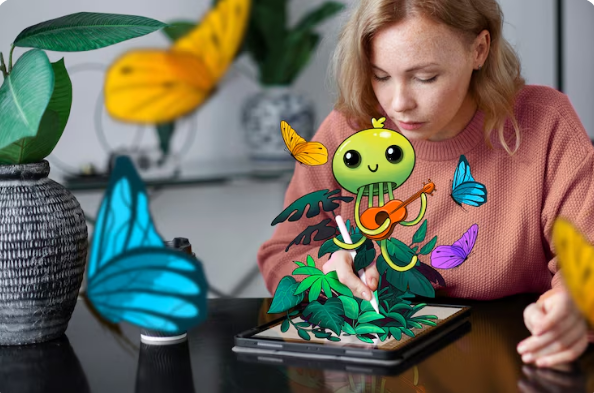
But while static image generation has become mainstream—tools like Midjourney, DALL-E 3, and Stable Diffusion dominate the conversation—a quieter, more significant shift is taking place. The next frontier isn't just about creating a single frame; it is about understanding how a lightweight AI video model complements these image generators to bridge the gap between still art and motion.
Modern AI image generators fall into three main categories:
Cloud-Based Generators (Midjourney, DALL-E, Leonardo.ai): These offer the highest quality and require no local hardware. You type a prompt, and the server does the heavy lifting.
Open-Source Local Models (Stable Diffusion, Fooocus): These give artists complete control, allowing custom training on specific styles or faces. However, they require a decent GPU.
Integrated Design Suites (Canva AI, Adobe Firefly): These are embedded into traditional design workflows, focusing on commercial safety and editability (e.g., generative fill, text effects).
Each of these tools excels at texture, lighting, and composition. But they share a common limitation: they produce a moment. Real life, and real storytelling, happens in sequences.
Imagine you generate the perfect fantasy landscape using an image tool. The lighting is golden hour; the dragon's scales look real. But now you want the dragon’s tail to flick, or smoke to rise from its nostrils. Historically, you would need a heavy 3D animation suite or a complex video editor.
This is where the lightweight AI video model enters the ecosystem. Unlike monolithic video generation models (like Runway Gen-2 or Pika Labs) that run on massive cloud clusters, a lightweight model is designed to run on a consumer laptop or even a mobile device. It takes a single generated image as the first frame and predicts the subsequent 24, 48, or 72 frames.
Integrating a lightweight AI video model into your image creation workflow offers three distinct advantages:
Heavy models can take minutes to generate a 4-second clip. Lightweight models (often under 2GB in size) can produce a draft animation in seconds. For a graphic designer, this means instantly checking if a generated character’s smile works better with a blink or a head tilt.
Many professional illustrators use image tools to generate proprietary concept art. Uploading that art to a public video generation server risks data leaks. A lightweight AI video model runs locally (using tools like AnimateDiff or Stable Video Diffusion), ensuring your original image never leaves your hard drive.
The best creative workflows are tight loops. Create image → animate with lightweight model → spot a problem in the motion (e.g., warping hands) → go back and fix the original image → re-animate. Heavy models break this loop with long queues; lightweight models keep you in the flow state.
Let’s say you are creating a short ad for a coffee brand.
Step 1 (Image Tool): Use DALL-E 3 to generate a hyper-realistic still life of a steaming coffee cup on a wooden table, condensation dripping down the side.
Step 2 (Refinement): Bring that image into a local Stable Diffusion interface to in-paint a better reflection on the spoon.
Step 3 (Lightweight Animation): Load the final PNG into a lightweight AI video model (such as the LCM-LoRA or a distilled version of DynamiCrafter). The model recognizes the steam as a "fluid motion" candidate and the cup as a "static object." In 15 seconds on an RTX 3060, it outputs a 2-second looping video where the steam swirls and the condensation bead moves down one millimeter.
Step 4 (Final Output): You now have a web-ready MP4 that looks like a cinematic slow-motion shot, all without a camera, a crew, or a render farm.
The distinction between "image creation tools" and "video creation tools" is dissolving. The most innovative platforms are now shipping with built-in lightweight AI video model functionality as standard features. For example, Krea.ai now offers real-time generation that can slip into animation mode, and ComfyUI has workflows that treat video as simply "images across time."
For the independent creator, the message is clear: Do not wait for perfect 4K, minute-long AI videos. That hardware isn't here yet. Instead, master the lightweight approach. Use robust image tools to build your world, and use nimble video models to bring a single, crucial detail to life—the flicker of a candle, the blink of an eye, the sway of a leaf.
After all, motion doesn't require a blockbuster budget. Sometimes, it just requires a smart, lightweight AI video model sitting next to your favorite paintbrush.
 Supriyo Khan
 Supriyo Khan
 Supriyo Khan
 Supriyo Khan

Want to add a comment?